> ## Documentation Index
> Fetch the complete documentation index at: https://guide.rolodexcrm.com/llms.txt
> Use this file to discover all available pages before exploring further.
# Import Your Dex Contacts into Rolodex
> Migrate your contacts, notes, and relationship history from Dex to Rolodex in a few clicks using your Dex API key. No data loss, no manual entry.
Bringing your network into Rolodex just got easier. With the Dex integration, you can import your contacts—and all their associated data—directly from [Dex](https://getdex.com) into your Rolodex workspace.
This is ideal for Dex users who want to move to a shared team workspace. Whether you've built detailed notes, contact timelines, or relationship histories in Dex, you can carry all of that work over in a few clicks. Your personal network doesn't have to stay siloed—Rolodex overlays your individual connections with your team's, creating a unified view of who knows who.
## How to import from Dex to Rolodex
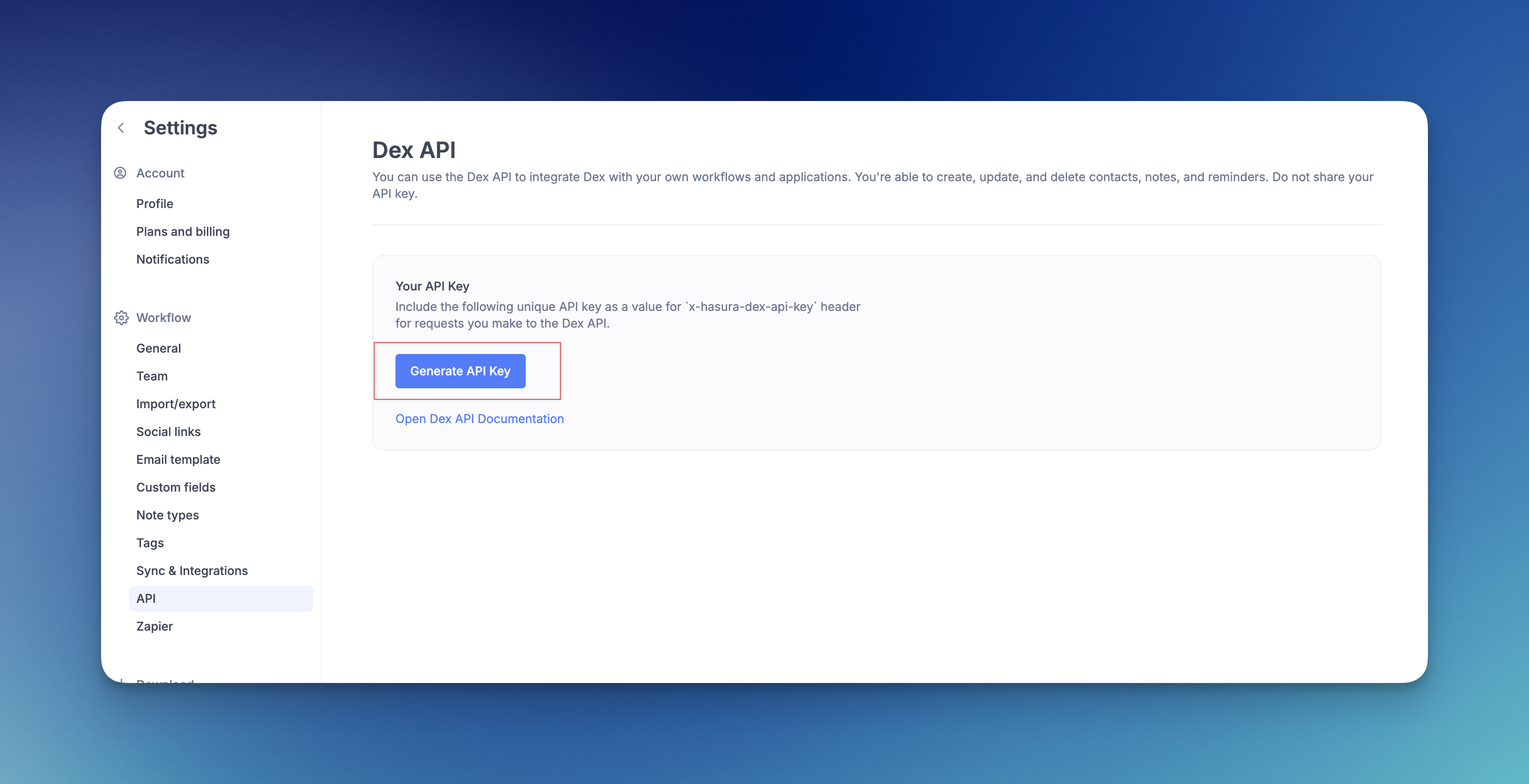
Generate an API key for your Dex account from the [API page](https://getdex.com/appv3/settings/api) in settings. Copy it to your clipboard.
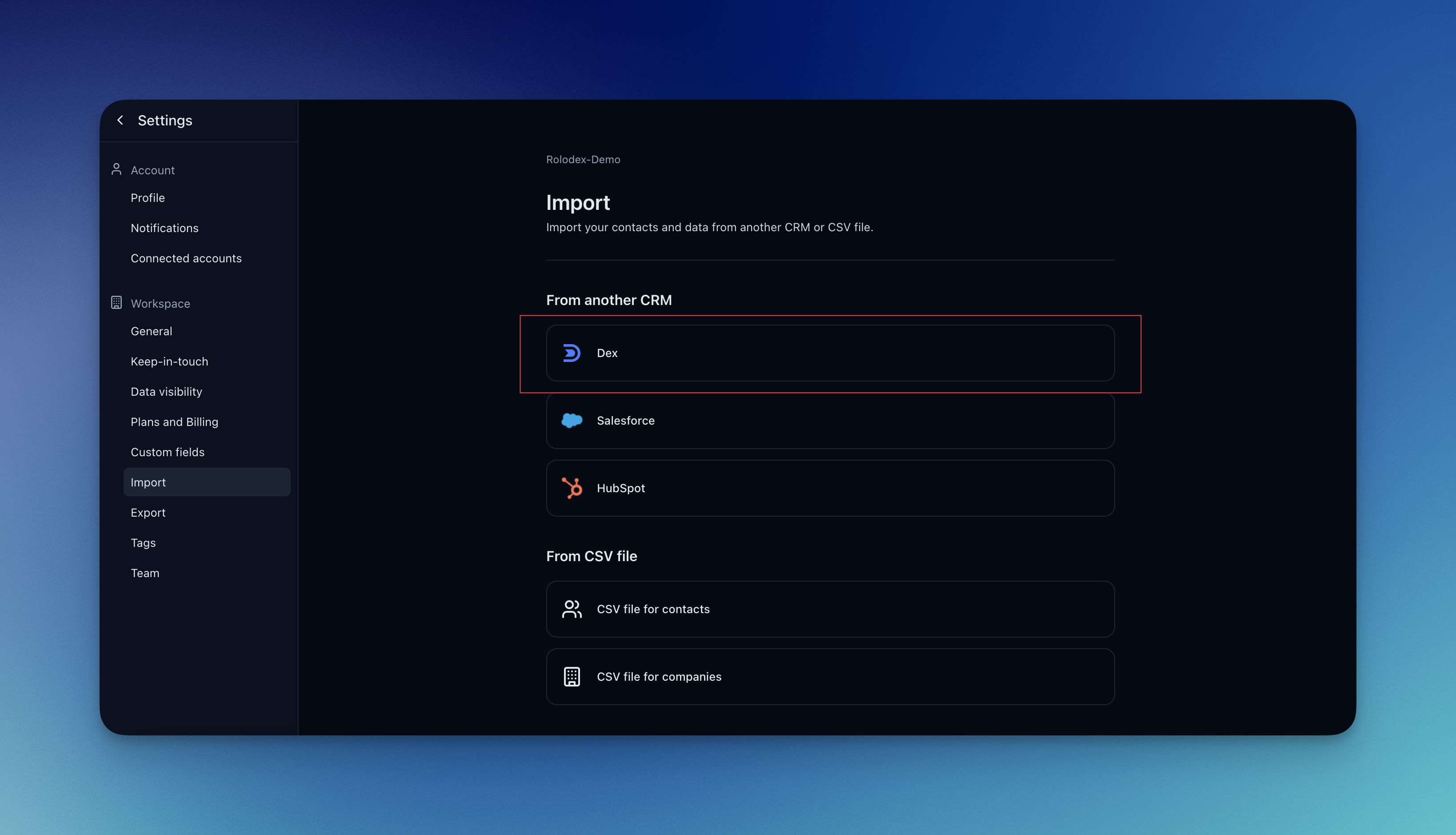
In Rolodex, go to settings and open the [Import page](https://rolodexcrm.com/app/rolodex/settings/import).
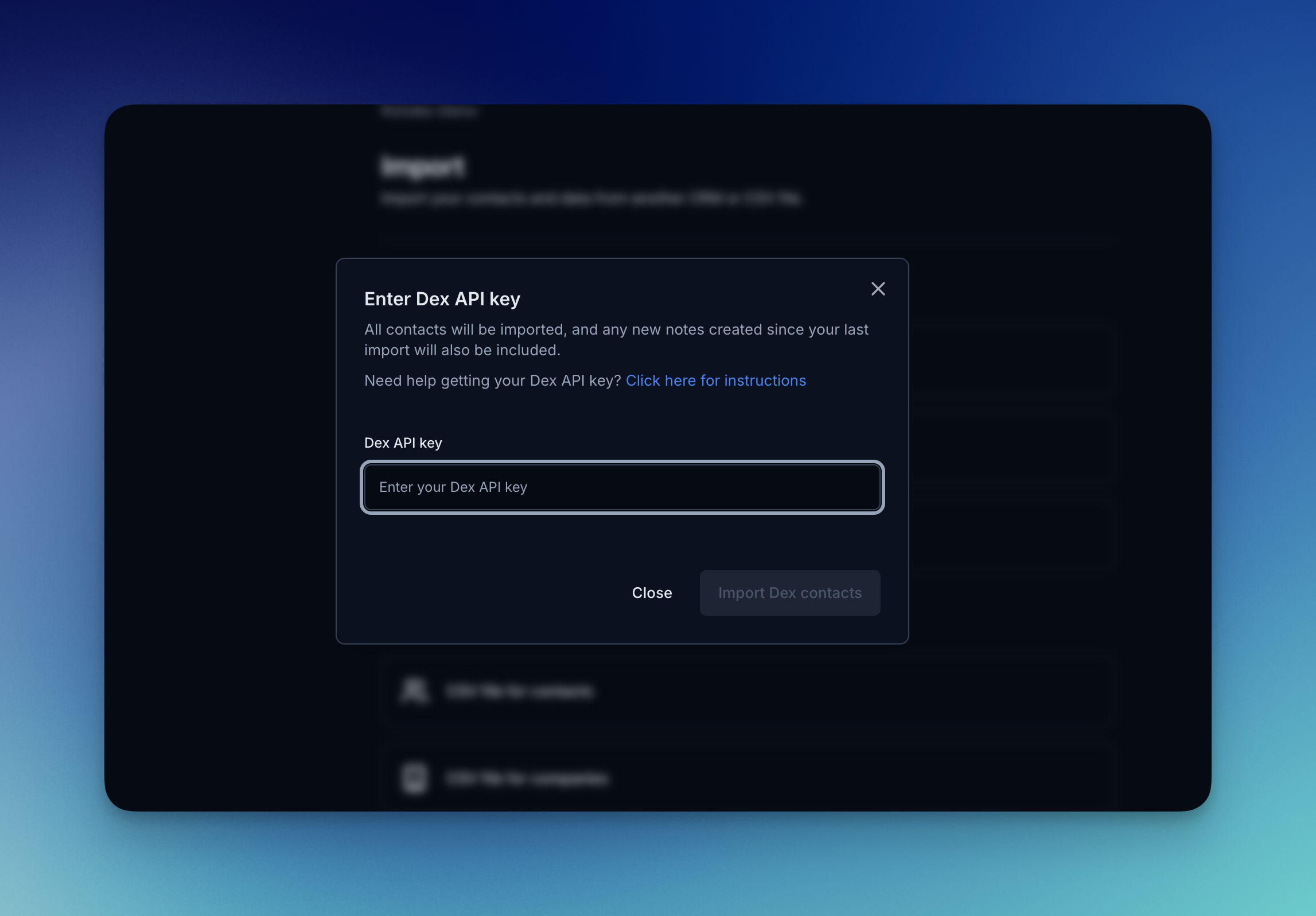
Click to import from Dex. A modal will appear where you can paste your Dex API key.
Click "Import Dex Contacts" to begin. Your contacts, notes, and history will be transferred into your Rolodex workspace.
Do not share your API key with anyone.