> ## Documentation Index
> Fetch the complete documentation index at: https://guide.rolodexcrm.com/llms.txt
> Use this file to discover all available pages before exploring further.
# Getting Started with Rolodex
> Set up your Rolodex workspace in minutes: download the mobile app, sync LinkedIn, Gmail, and Outlook contacts, and invite your team to build a shared relationship intelligence platform.
Welcome to Rolodex, your team's shared workspace for relationship intelligence.
Rolodex is not another CRM—it's a platform purpose-built to help teams leverage their collective networks and stay engaged with key contacts. Whether you're in sales, fundraising, partnerships, or leadership, Rolodex helps you uncover warm introductions, build deeper relationships, and never let an opportunity slip through the cracks.
## What is Rolodex?
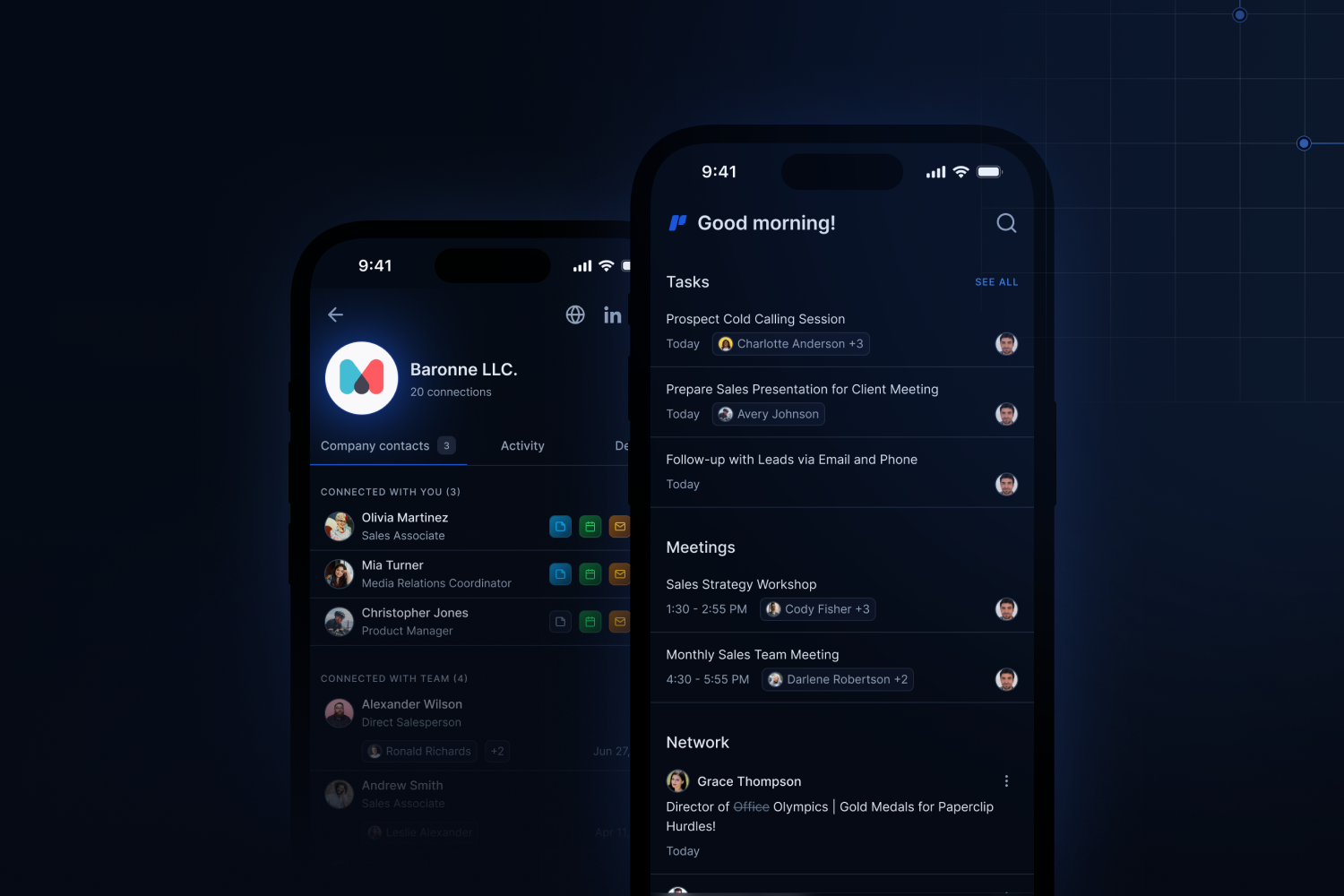
[Rolodex](https://rolodexcrm.com/) overlays your team's network into one unified database. It automatically syncs your team's connections and communication history from LinkedIn, Gmail, Outlook, and calendars—making it easy to see who knows who and what was said, all in one place.
You can:
* See the full interaction history across your team: meetings, emails, and notes.
* Use visual tools like [**Boards**](https://guide.rolodexcrm.com/workflows/manage-your-contacts#boards), [**Map View**](https://guide.rolodexcrm.com/workflows/manage-your-contacts#map-view), and [**Org Charts**](https://guide.rolodexcrm.com/workflows/manage-your-contacts#org-chart) to organize and act on your network.
* Set personalized or team-wide **Keep-in-Touch reminders** to stay engaged with the right people at the right time.
* Collaborate on contacts and companies using custom fields, tags, and lists.
## Step 1: Create your account
You can sign up using your Google account, Microsoft account, or email address. Setup takes less than two minutes.
Sign up with Google, Microsoft, or email.
After signing up, you'll land in your workspace. You can invite teammates from workspace settings at any time.
## Step 2: Download the Rolodex mobile app
The Rolodex mobile app is where you connect LinkedIn, and it keeps your network accessible on the go—add contacts, capture meeting notes, and manage Keep-in-Touch reminders from your phone. Log in with the same account you used to sign up.
Download from the App Store.
Download from Google Play.
The mobile app is required to sync LinkedIn connections. Gmail and Outlook can be connected from the web app without it.
## Step 3: Sync your connections
### LinkedIn
Connect LinkedIn from the Rolodex mobile app: open **Settings**, tap **LinkedIn**, and log in to your LinkedIn account. Your first-degree connections sync automatically, and new connections you add on LinkedIn are picked up without any action on your part—this only needs to be set up once. See the [LinkedIn sync guide](/Linkedinsync) for step-by-step screenshots.
Rolodex will alert you when connections change jobs, shown on the home page and delivered by email (adjustable in notification settings).
### Gmail and Google Contacts
Connect one or more Gmail accounts from [**Settings → Integrations**](https://rolodexcrm.com/app/rolodex/settings/integrations) to pull in calendar events, email history, and Google Contacts. Rolodex uses this to surface who you've met, when you last spoke, and what was discussed—without manual logging.
### Microsoft Outlook
Connect Outlook and Microsoft 365 accounts the same way. Rolodex syncs calendar meetings and email interactions to build a full interaction history alongside your LinkedIn and Gmail data.
## Step 4: Explore your network
Once your connections are synced, your workspace populates with contacts and companies. From here you can:
* **Search and filter** by name, company, tag, or list.
* [**Boards view**](https://guide.rolodexcrm.com/workflows/manage-your-contacts#boards) — organize contacts into Kanban-style columns for pipeline or relationship stages.
* [**Map view**](https://guide.rolodexcrm.com/workflows/manage-your-contacts#map-view) — see your contacts plotted geographically, useful for planning outreach by region.
* [**Org Charts**](https://guide.rolodexcrm.com/workflows/manage-your-contacts#org-chart) — visualize reporting structures within companies you're tracking.
## Step 5: Set Keep-in-Touch reminders
Keep-in-Touch lets you set a recurring cadence for staying in contact with specific people. Rolodex monitors your interaction history and notifies you when you haven't spoken to someone within your chosen interval. Once you reach out and an interaction is logged, the reminder resets automatically.
You can set reminders on individual contacts or apply them across a list.
## What to do next
Rolodex is most powerful as a shared workspace. Invite colleagues to start combining your networks.
Moving from Dex or another contact manager? Import your contacts and history in a few clicks.
A full walkthrough of Boards, Map View, Org Charts, and more.
Common questions about how Rolodex works, pricing, and privacy.