> ## Documentation Index
> Fetch the complete documentation index at: https://guide.rolodexcrm.com/llms.txt
> Use this file to discover all available pages before exploring further.
# Microsoft Outlook Sync
> Connect Microsoft Outlook to Rolodex to track email interactions, view email history on contact profiles, and send emails without leaving Rolodex.
Rolodex’s integration with your Microsoft account allows you to view relevant email threads, update the last interaction, and provide a complete picture of your communications.
* The sync shows only metadata (subject and date/time of emails).
* The initial sync takes several hours, but subsequent syncs complete in under 2 minutes.
## Setting up Outlook Sync
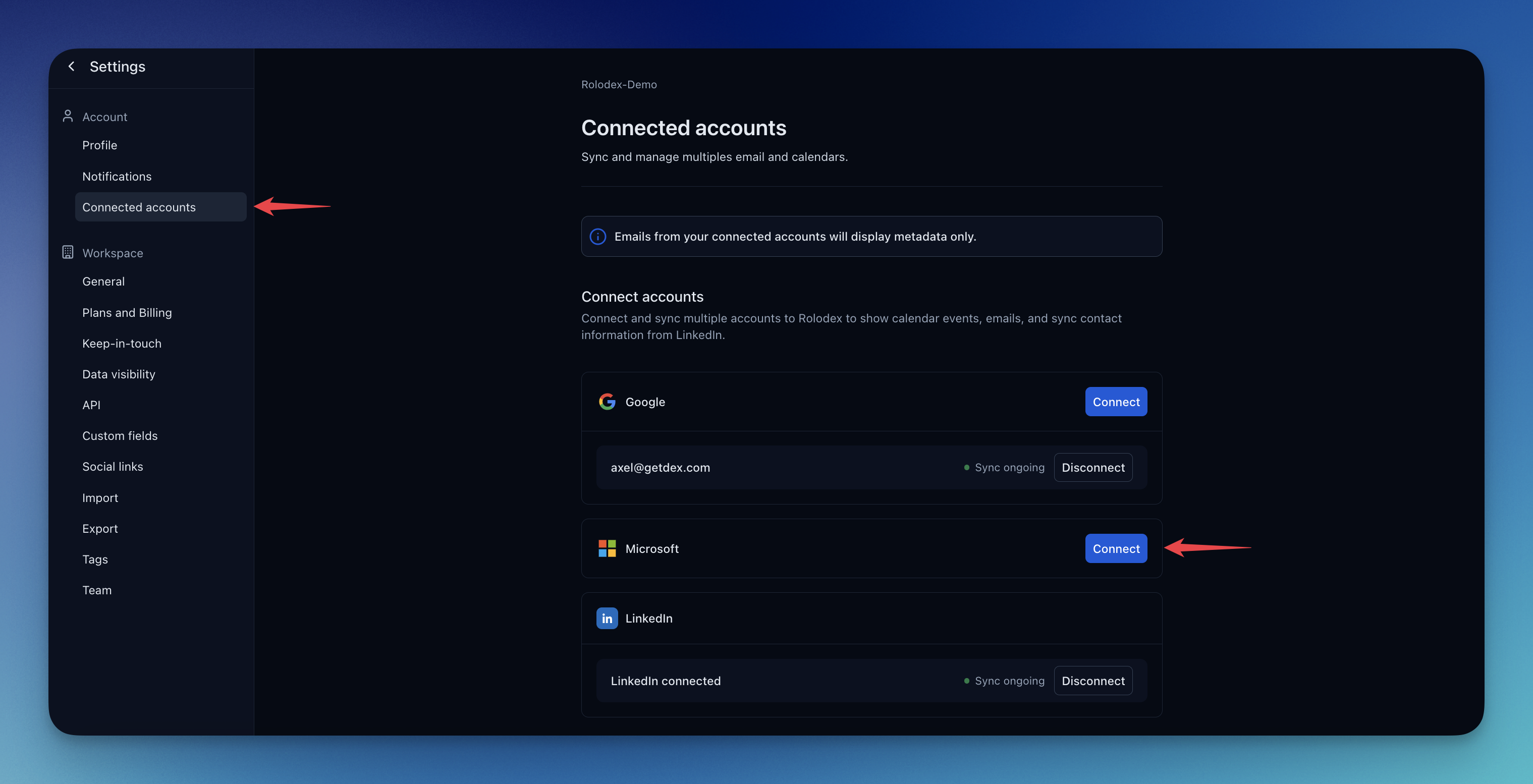
Access settings from the dropdown menu in the top left corner of your home page.
Can be found near the top in the left sidebar.
On the Microsoft section, click on connect account and follow the login prompts.
 ## Opening Email Content from Rolodex
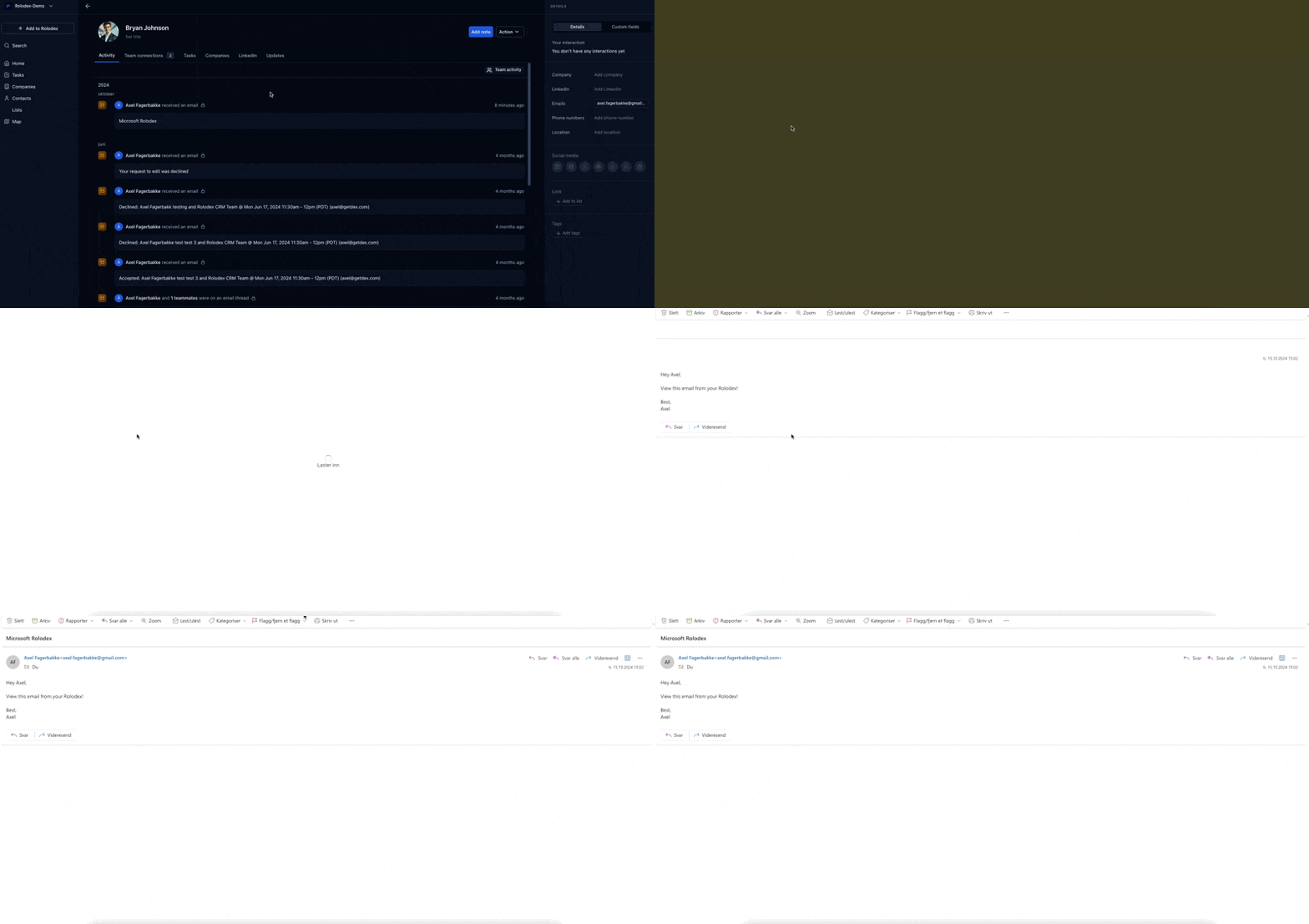
Once your Microsoft Outlook is connected to the Rolodex workspace, you will be able to access emails directly from Rolodex. Clicking on a email will send you to that email in Outlook.
## Opening Email Content from Rolodex
Once your Microsoft Outlook is connected to the Rolodex workspace, you will be able to access emails directly from Rolodex. Clicking on a email will send you to that email in Outlook.
 ## Sending Email Content from Rolodex
Once your Microsoft Outlook is connected to the Rolodex workspace, you will be able to send emails directly from within Rolodex. Simply click on a contact, compose your email, and it will be sent through your Microsoft Outlook account.
## Sending Email Content from Rolodex
Once your Microsoft Outlook is connected to the Rolodex workspace, you will be able to send emails directly from within Rolodex. Simply click on a contact, compose your email, and it will be sent through your Microsoft Outlook account.
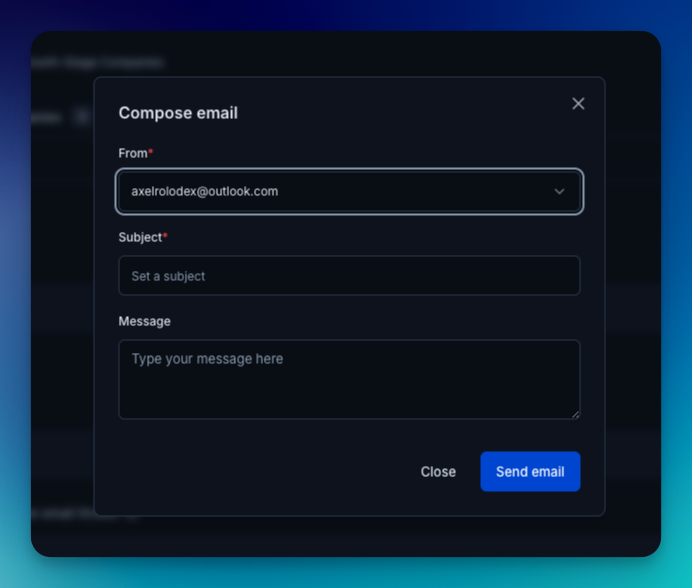 A contact's email address needs to be saved within Rolodex to be able to send email to that contact